v3.7.0 is liveWhat's new
Skip to main content
RelayDesk
v3.7.0

What's New: November 12, 2026

A big RelayDesk release is live. Build your own dashboard from modules you choose and save it as a workspace, read the session with the new Insight page, and try new features early through the new beta program, starting with position averaging.
Added
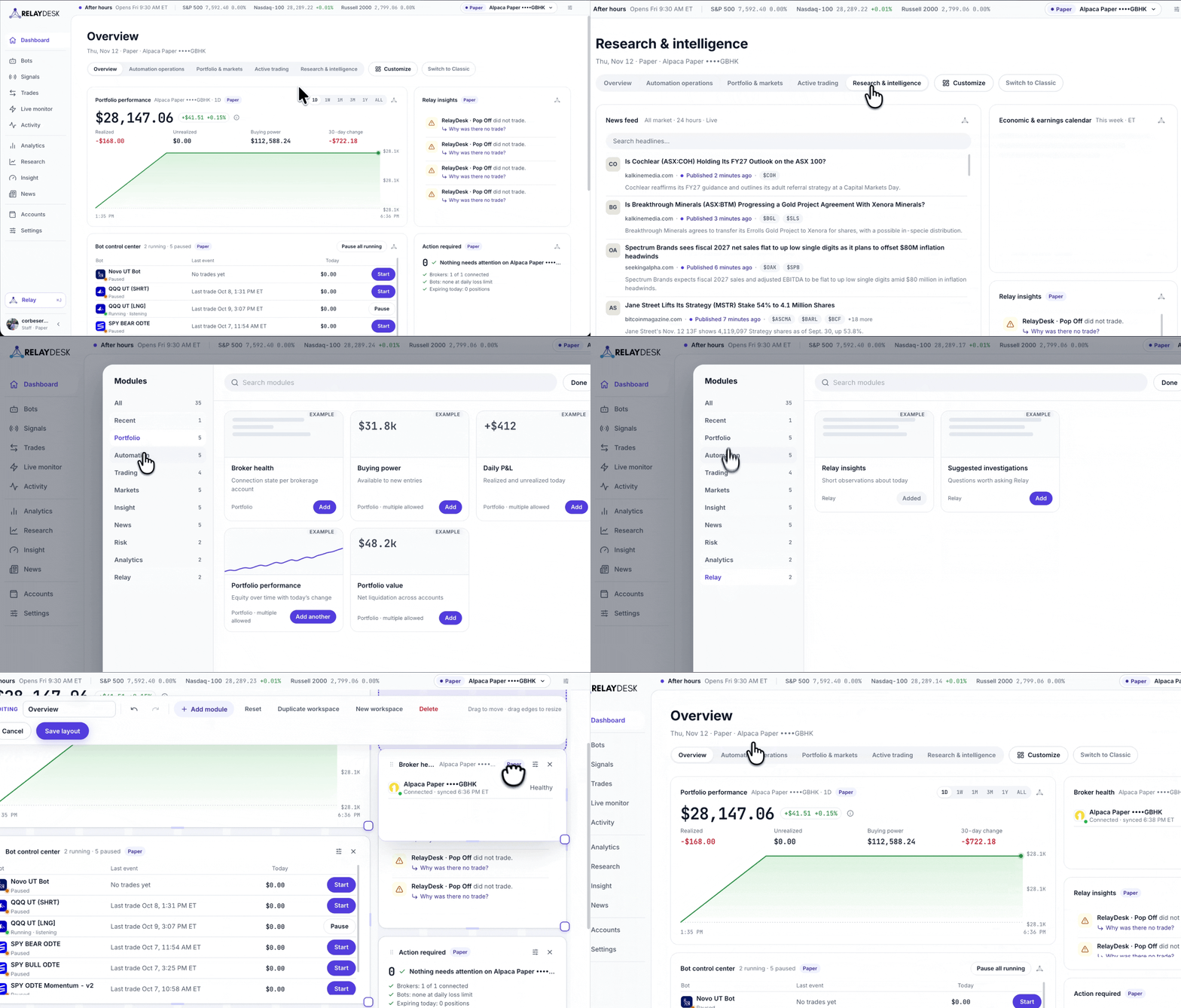
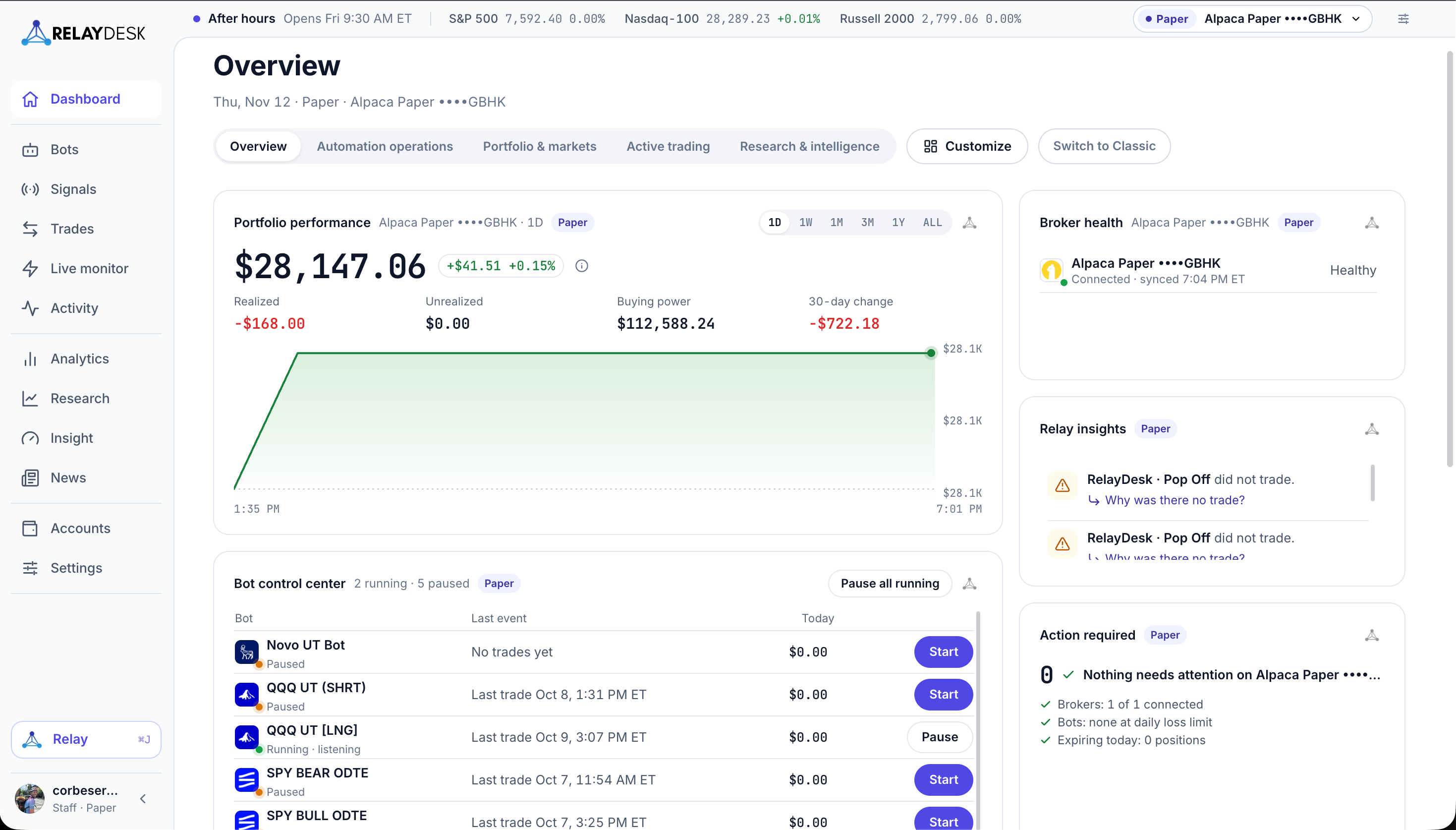
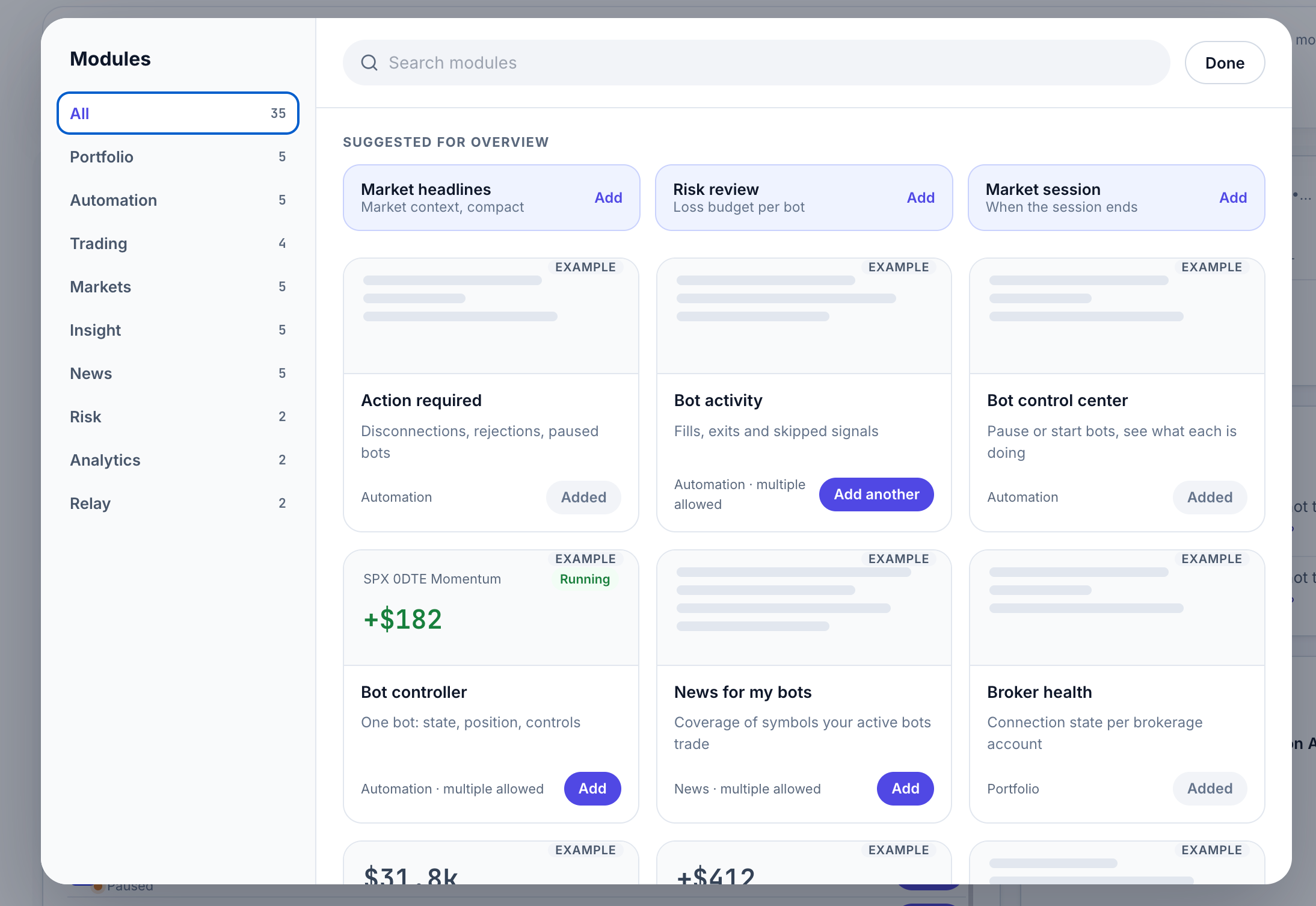
  • —Modular Dashboards. Pick the modules you want, drag them where you want them, size them how you like, and save the layout as a workspace. Company and broker logos make accounts easy to spot, and one buying power total covers all your accounts.
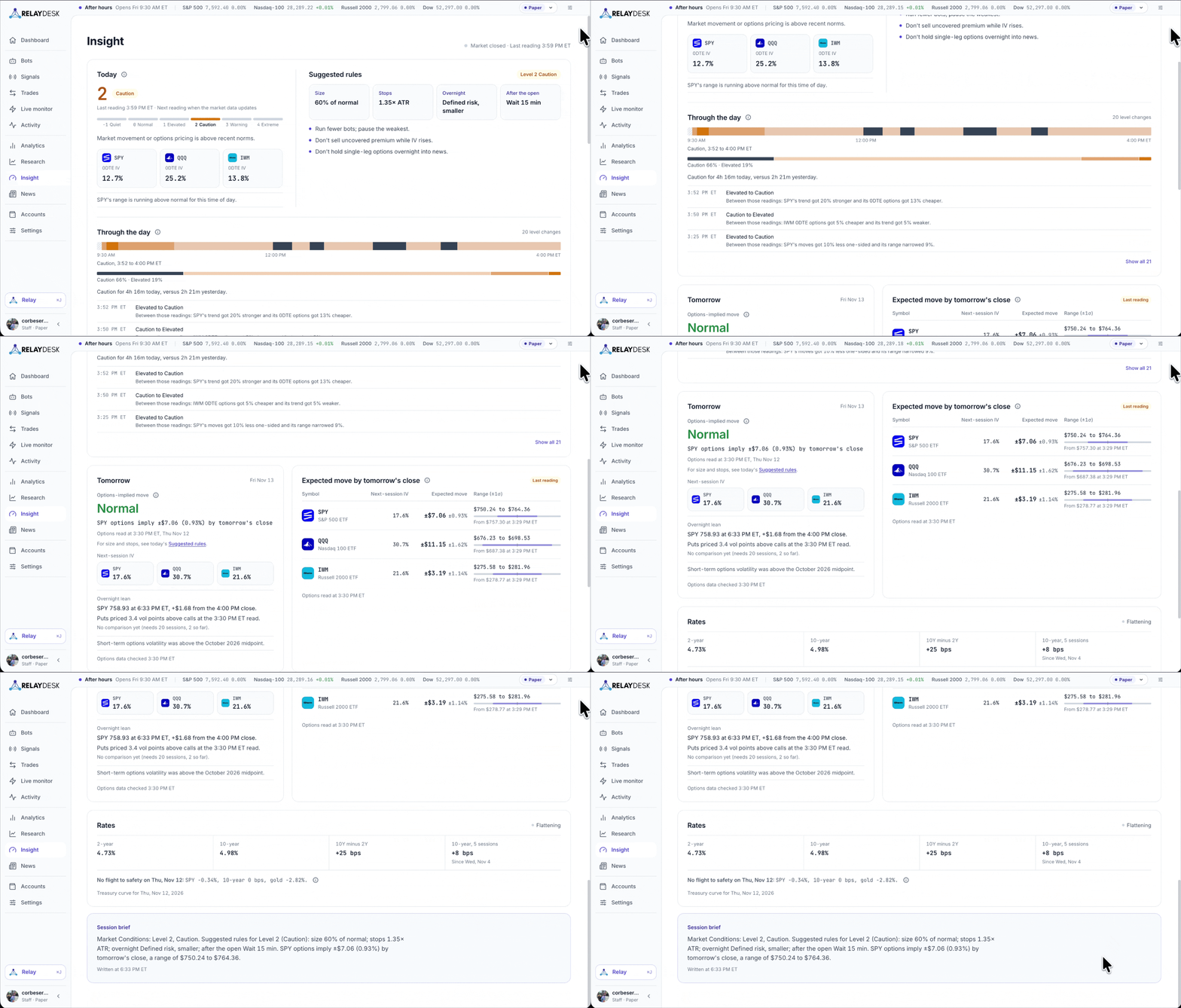
  • —Insight. One page that reads the session for you: how calm or stressed the market is right now, what moved overnight, how big a move options are pricing in, and which headlines actually moved prices. Updated through the session, with a written brief to start your day.
  • —Beta features program. Turn on Try new features early in Settings to get new features before everyone else. You can switch it off any time.
  • —Position averaging (beta). Add to an open position straight from its trade controls, then choose whether to keep your stop loss or recompute it from your new average price. Available on Alpaca paper accounts to start, with more brokers to come.
Improved
  • —Saved workspaces. Save any dashboard layout as a workspace so your setup is ready whenever you come back.
  • —Company and broker logos. Company and broker logos now appear across the dashboard, so positions and accounts are quicker to recognize.
  • —One buying power total. See a single buying power total across all your connected accounts.
  • —Classic layout. Prefer the old dashboard? Choose Classic and keep working the way you are used to.

Your dashboard is now yours to build

Pick the modules you want, drag them where you want them, and size them how you like
Custom workspaces, built to your needs.

Pick the modules you want, put them where you want them, and size them how you like. Then save the layout as a workspace.
Modular Dashboard
A Dashboard that fits your trading style
  • Modules you choose: Add the modules you use and leave out the ones you do not. Drag them into place and resize them.
  • Workspaces: Save a layout as a workspace so it is ready whenever you return.
  • Logos and one buying power total: Company and broker logos make accounts and positions easy to spot, and one buying power total covers all your accounts.
  • Classic is still here: Prefer the old layout? Choose Classic.
Dashboard Modules
Powerful modules to dial in your dashboard

Insight

Insight: Understand the market before you trade it.

Know what kind of market you are trading before you trade it. Insight reads the session for you.
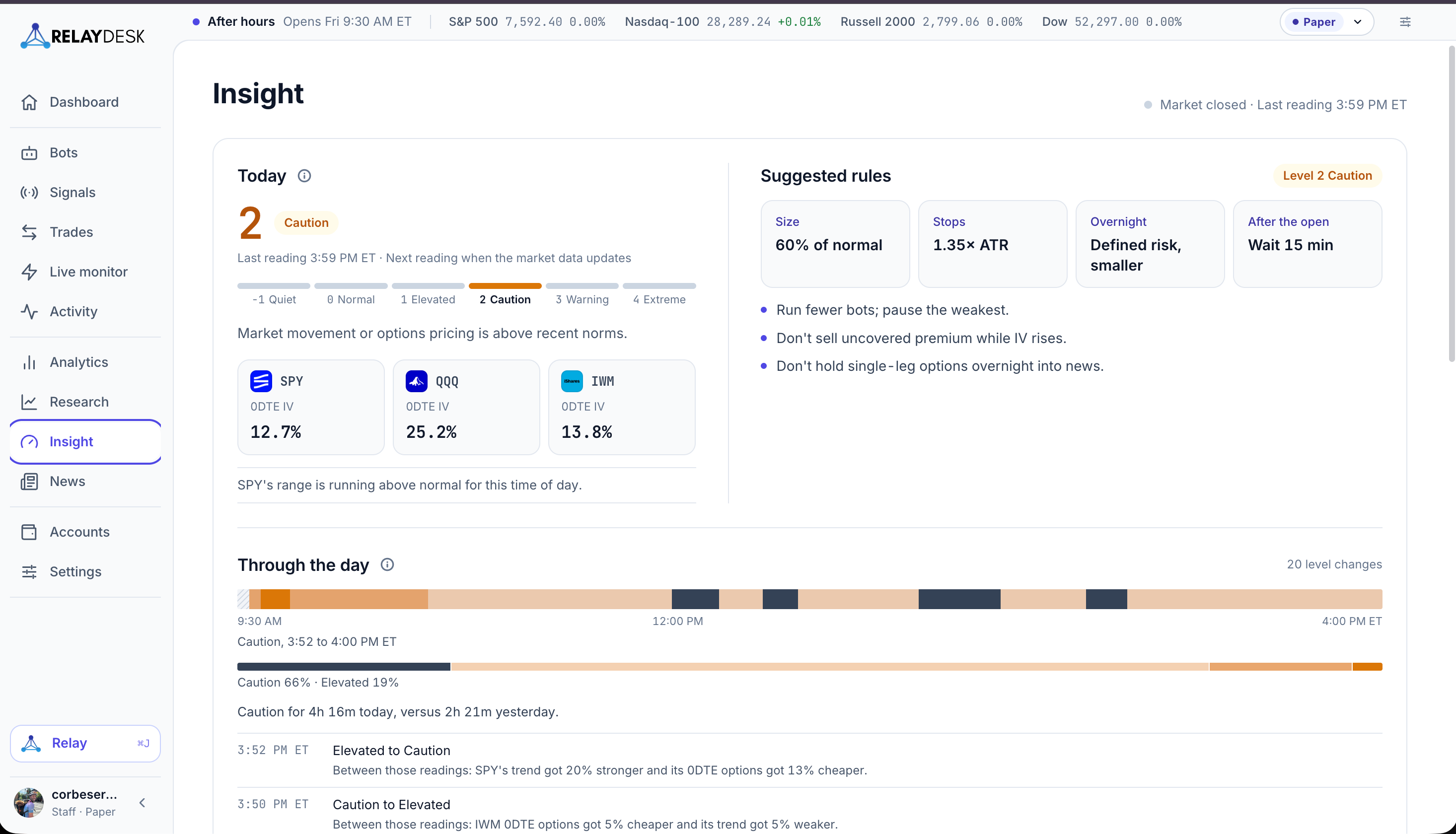
  • Calm or stressed: See how calm or stressed the market is right now, and how that is changing through the day.
  • Overnight moves: See what moved overnight.
  • Expected move: See how big a move options are pricing in.
  • Headlines that mattered: See which headlines actually moved prices.
Insight
Insights to prep you for the trading day ahead

It all lives on one page that updates through the session, with a written brief to start your day.

Insight is informational only and is not trading advice.

Beta features

RelayDesk now has a beta program. Turn it on to get new features before everyone else.

Settings, then Profile, then Beta features, then "Try new features early". You can switch it off any time.

Position averaging (beta)

The first beta feature lets you add to an open position without leaving its trade controls.

  • Add to an open position straight from its trade controls.
  • Choose whether to keep your stop loss or recompute it from your new average price.
  • Your take-profit targets move to the new average once the add fills.

Position averaging is available on Alpaca paper accounts to start, with more brokers to come.

As always, we are squashing bugs and making RelayDesk faster and better with every release.