Optionality × RelayDesk:
Automate the Calls You Already Follow
Your Optionality membership includes RelayDesk. Connect the Discord account you use for Optionality, and the community's signals are ready in your account. Orders go to your own brokerage account, within limits you set.
From a Optionality call to an order in your account
An analyst posts a call
The call reaches RelayDesk as a signal. With member access active, Optionality's signals are already in your account.
RelayDesk checks your rules
Position size, daily loss cap, entry window and Skip Days. If a signal doesn't pass, RelayDesk skips it and records why.
The order goes to your broker
Alpaca, Tradier, Public, Schwab, tastytrade, Moomoo or Webull, in your own account. Every signal and its outcome shows in Signal History.
5 short lessons, about 20 minutes
Work through them in order. Every new bot starts on paper, so nothing touches real money until you switch it to live.
Activate access through Optionality
- 1At the plan prompt, find Purchased through a partner? and select Activate Partner Access.
- 2Sign in to Discord with your Optionality account and authorize the connection.
- 3Open Settings > Billing > Community access and confirm Optionality shows Provides Member Access and Signals active.
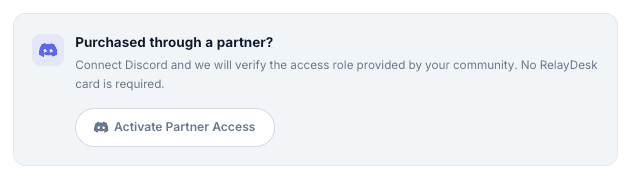
Discord verifies access provided by partner communities. It is not used to sign in to RelayDesk.
 OptionalitySignals activeProvides member access
Optionality Members: Set Up RelayDesk in About 20 Minutes
You're ready to trade on paper
With member access active, a broker connected in paper mode and your risk caps set, Optionality's calls start placing paper trades in your account. Switch a bot to live when the results look the way you expect.
Keep your Optionality membership and Discord connection active to keep your access.
Quick member checklist
If something doesn't look right
Submit a ticket in the #support-ticket channel Include the step you reached, the exact error text and a screenshot with personal details hidden. Never send passwords, verification codes or broker keys.
Common questions
Does RelayDesk hold my money?
No. Your funds stay in your own Alpaca, Tradier, Public, Schwab, tastytrade, Moomoo, or Webull account. RelayDesk places orders within the limits you set.
Do I have to take every Optionality call?
No. You choose which signals your bots follow, and you can pause any bot at any time.
Do I need a payment card?
No RelayDesk payment card is required for partner access. Your Optionality membership eligibility still applies.
Can I try it without real money?
Yes. Connect your broker in paper mode and every trade is simulated until you switch a bot to live.
What happens if I leave Optionality?
Member access depends on your Optionality membership and Discord connection. If either ends, access provided through Optionality ends too.
Does my Optionality membership include RelayDesk?
Only memberships with the role that includes RelayDesk access. If you're not sure yours does, ask the Optionality team before you sign up.